Previous Thread
Next Thread
Print Thread
Joined: Apr 2023
Posts: 15

Joined: Apr 2023
Posts: 15
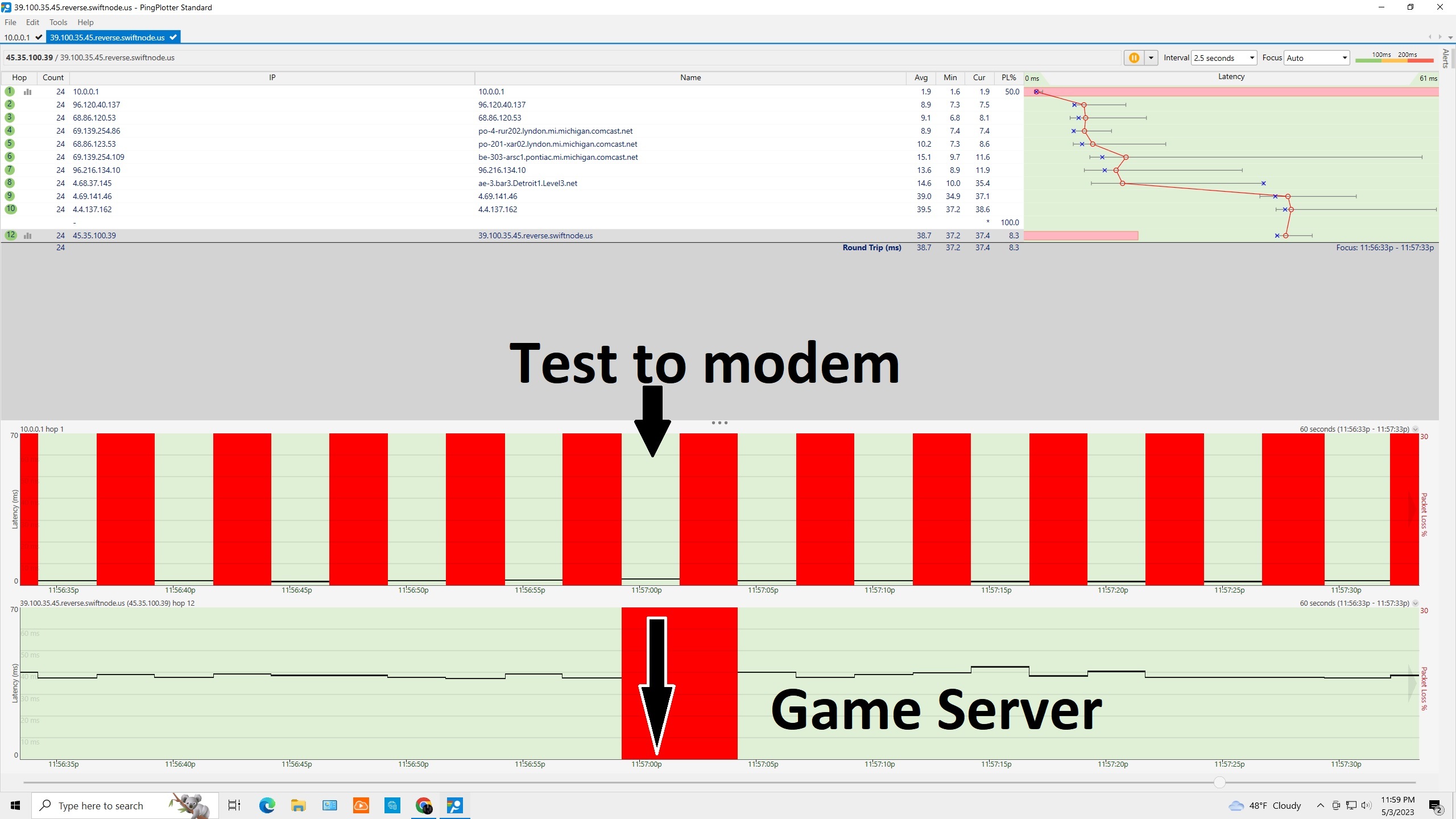
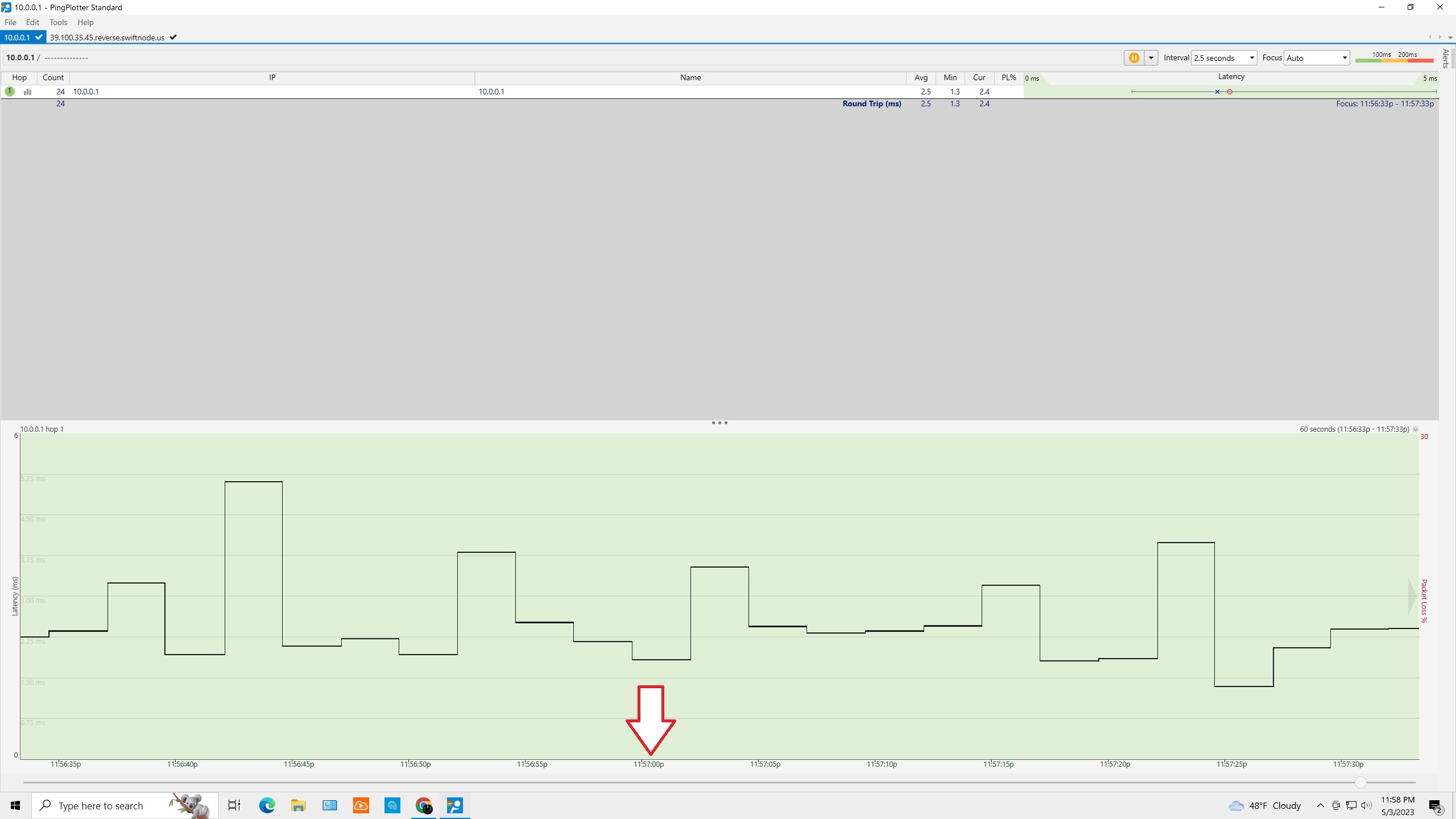
So in this test, I can see packet loss at the final hop, and at hop 1, and nowhere else. But in a separate test to just my router, there is no packet loss. How am I to interpret the possible culprit if I don't see the loss reduplicated to just my router only? Could the packet loss seen at the final hop be related to the latency spike started at about hop 8?


Attachments
Test to server 2.jpg (479.56 KB, 60 downloads)
Test to modem only 2.jpg (260.26 KB, 60 downloads)

Joined: Dec 2022
Posts: 37

Joined: Dec 2022
Posts: 37
Hey Jibroni,

Thanks for getting in touch - I'm happy to shed some light on this subject.

When you see all that red show up in a trace, it's only natural to think something is wrong. However, as long as this packet loss doesn't carry through to the destination, it's not something to worry about!

This sort of packet loss indicates that your router is "de-prioritizing" or dropping ICMP Time Exceeded responses when it is an intermediate hop. To verify if this packet loss is "real" you would do as you already did - start a trace directly to your router.

If you're interested, here are a couple of articles that can explain this concept a bit more:

Interpreting Latency and Packet Loss
One poorly responding router


It doesn't look like the latency spike at hop 8 affected the packet loss. That looks like it started at the destination, as in the gaming server was having issues during that time period.

I hope that helps! If you have any other questions, please feel free to ask.

Thanks,

Joined: Apr 2023
Posts: 15

Joined: Apr 2023
Posts: 15
Originally Posted By: Tyson
Hey Jibroni,

Thanks for getting in touch - I'm happy to shed some light on this subject.

When you see all that red show up in a trace, it's only natural to think something is wrong. However, as long as this packet loss doesn't carry through to the destination, it's not something to worry about!

This sort of packet loss indicates that your router is "de-prioritizing" or dropping ICMP Time Exceeded responses when it is an intermediate hop. To verify if this packet loss is "real" you would do as you already did - start a trace directly to your router.

If you're interested, here are a couple of articles that can explain this concept a bit more:

Interpreting Latency and Packet Loss
One poorly responding router


It doesn't look like the latency spike at hop 8 affected the packet loss. That looks like it started at the destination, as in the gaming server was having issues during that time period.

I hope that helps! If you have any other questions, please feel free to ask.

Thanks,


yes, helps a lot. I suspected this was just an indication of an issue at the final hop itself. Thanks smile


Link Copied to Clipboard
Forum Search
Who's Online Now
0 members (), 19 guests, and 0 robots.
Key: Admin, Global Mod, Mod
Powered by UBB.threads™ PHP Forum Software 8.0.1